
In today’s digital-first world, much of our personal and financial life exists on phones, tablets, and computers. From banking apps and investment accounts to photo libraries and digital wallets, losing access to these accounts can create major headaches for loved ones if something unexpected happens.
As a Spokane financial advisor, I often remind clients that planning for your financial future isn’t just about retirement accounts, investments, or estate planning—it also includes ensuring your digital life is accessible to the people you trust.
This guide walks you through the best ways to set up access for your family using built-in tools from Apple and Google. It helps you secure your digital legacy and gives you peace of mind.
Why Digital Access Matters in Financial Planning
When most people think of financial planning, they focus on 401(k)s, IRAs, real estate, and other tangible assets. In 2025, digital assets are equally critical:
- Online banking and investment accounts
- Password-protected spreadsheets or financial documents
- Emails and authenticator apps for secure logins
- Personal photos, videos, and sentimental files
Even with a solid estate plan, your family may face stress, delays, or financial loss if they cannot access these accounts. Including digital access in your overall estate and financial plan is a small step that saves significant headaches later.
For iPhone Users: Add a Legacy Contact
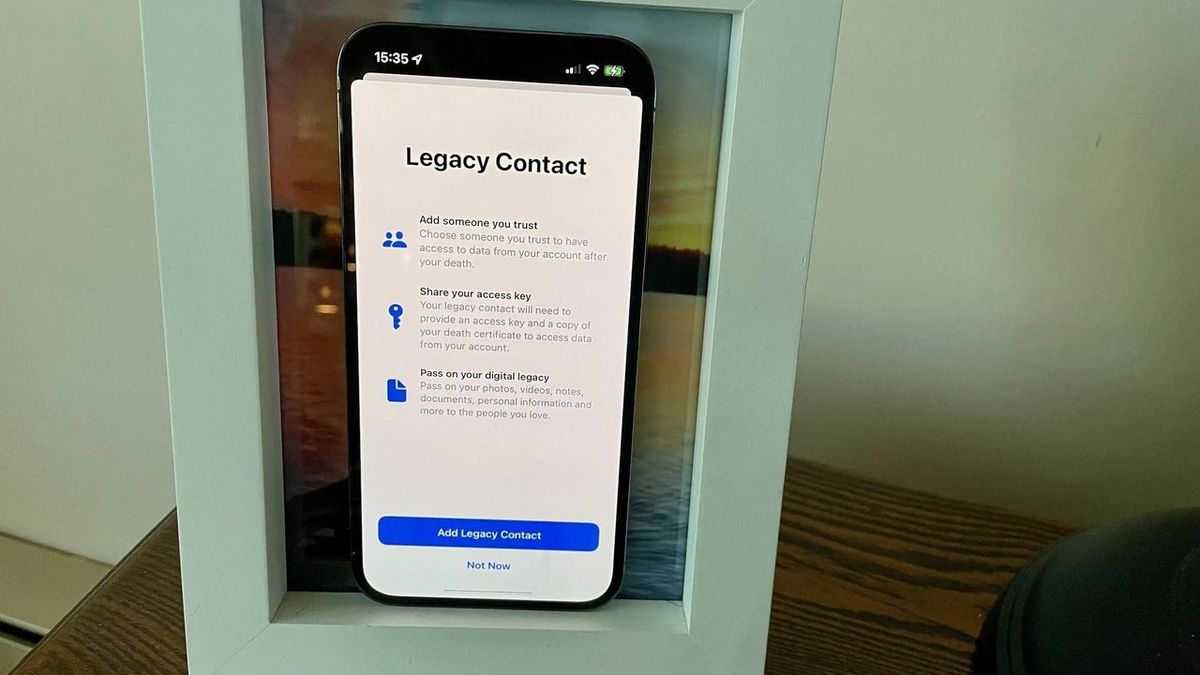
Apple’s Legacy Contact feature lets a trusted person access your photos, messages, and files without sharing your passwords or payment information.
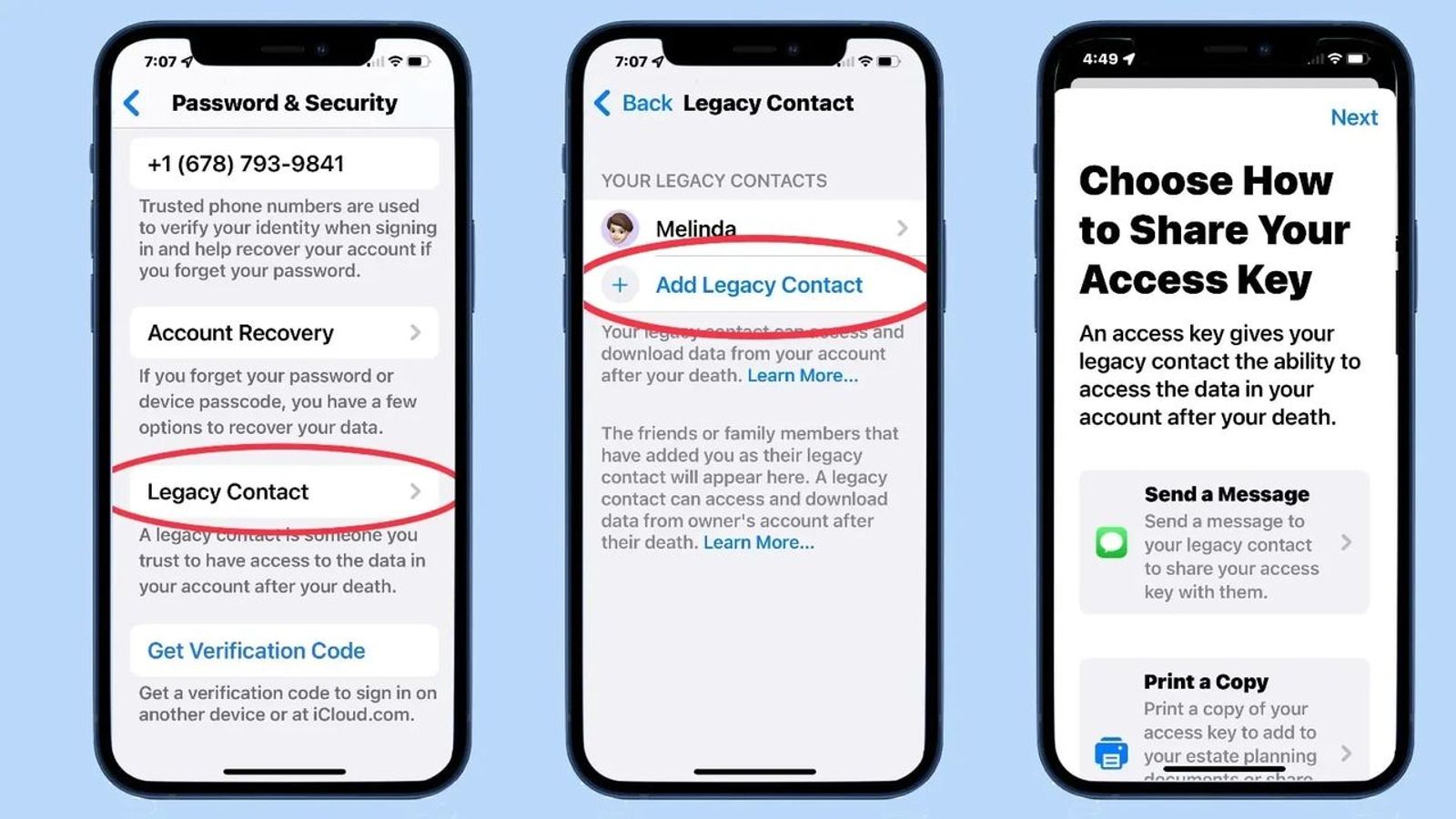
Steps to Add a Legacy Contact:
- Open Settings and tap your name at the top.
- Go to Sign-In & Security → Legacy Contact.
- Tap Add Legacy Contact and select someone from your contacts or Family Sharing group.
- Confirm with Face ID, Touch ID, or your passcode.
- Share the access key with your contact or print it out with your estate documents.
Tip: The access key is essential for your Legacy Contact to access your data. Make sure your trusted person knows how to use it.
- For more details, see Apple’s official guide: Apple Support – Legacy Contact.
- For visual learners, here's a helpful video tutorial on setting up a Legacy Contact on your iPhone:
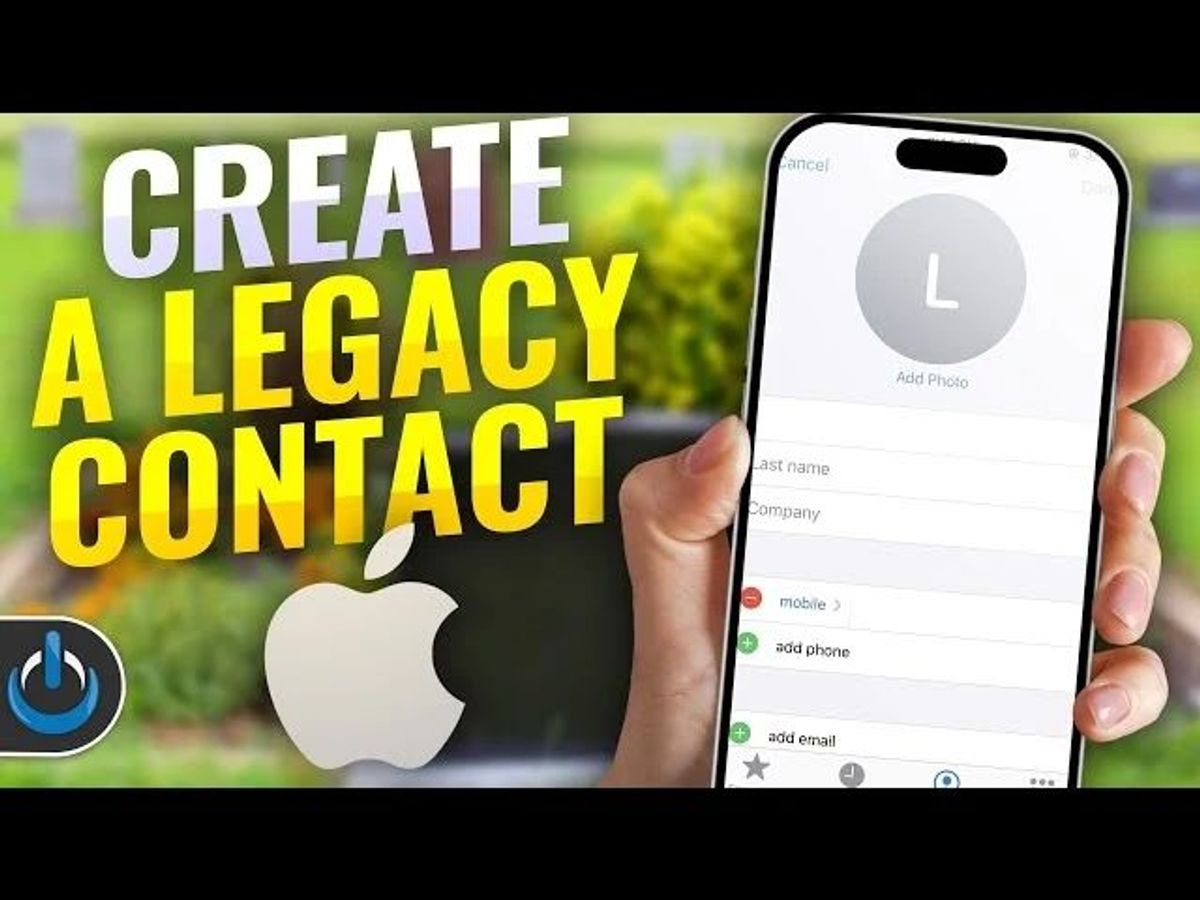
Adding a Legacy Contact ensures your most important files and memories remain accessible, complementing estate planning strategies created with a Spokane financial advisor.
For Android Users: Use Google’s Inactive Account Manager
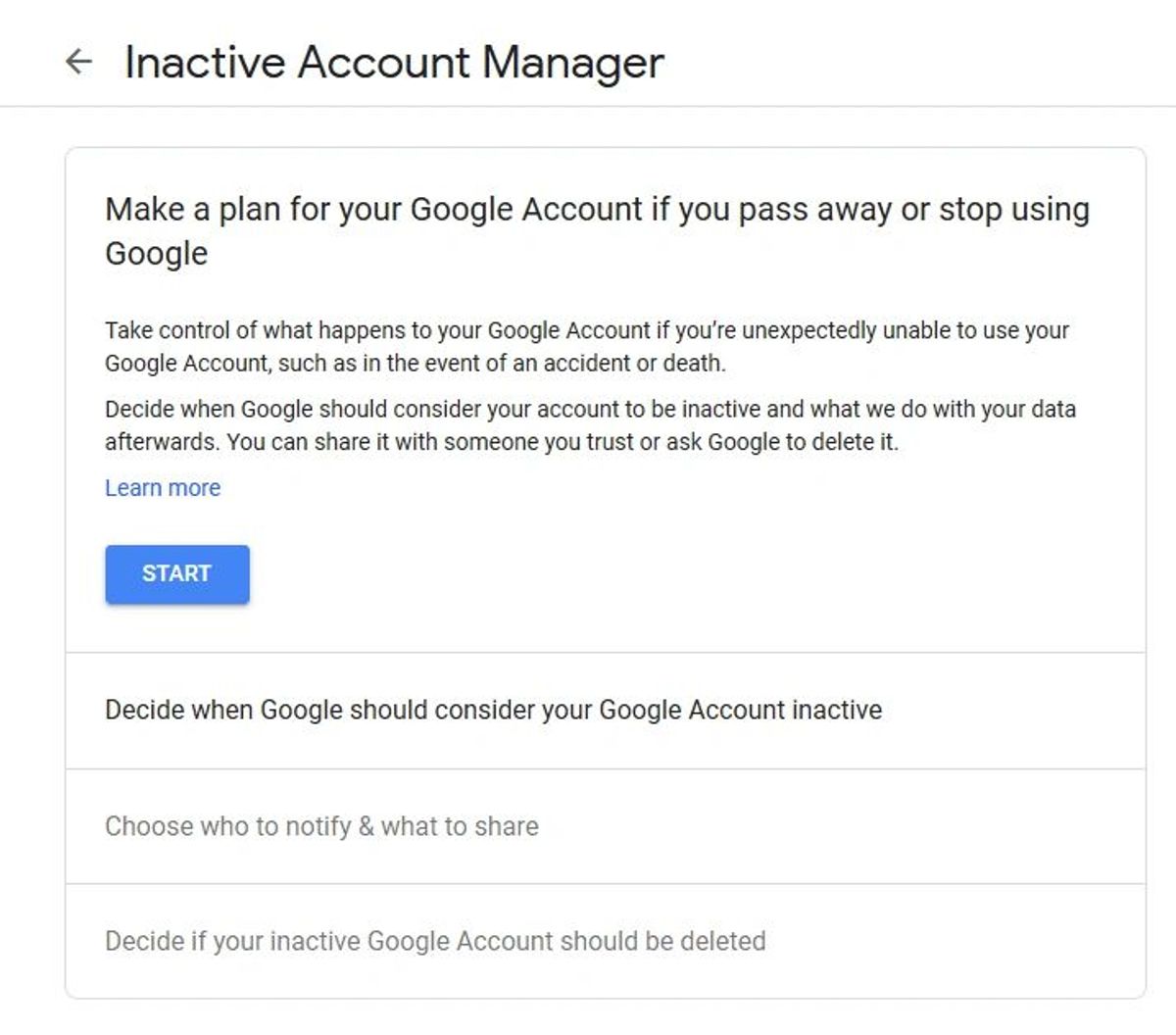
Google’s Inactive Account Manager lets you designate trusted contacts who can access your account if it becomes inactive.
Steps to Set Up Inactive Account Manager:
- Visit Google Account Settings.
- Click Start to begin setup.
- Set an inactivity period (3–18 months).
- Add up to 10 trusted contacts and select what data they can access.
- Optionally, choose to delete your account after the inactivity period.
This tool is especially useful for managing multiple accounts, financial documents, and communications. Loved ones gain access without needing your passwords, protecting sensitive information.
- For more guidance, see:Google Help – Inactive Account Manager.
How Digital Planning Supports Financial Security
Organizing digital access now provides multiple benefits:
- Prevents unnecessary stress for the family during emotional times
- Ensures access to essential financial and personal documents
- Protects your digital legacy, including photos, messages, and authenticator apps
- Complements traditional estate planning strategies such as wills, trusts, and powers of attorney
Integrating digital access into your financial plan creates a comprehensive strategy that safeguards both tangible and digital assets.
How AI Tools Like ChatGPT Can Help
Artificial intelligence tools, including ChatGPT, can simplify digital legacy planning:
- Generate checklists for digital accounts
- Draft messages for your Legacy Contact or Google trusted contacts
- Identify accounts or assets you may have overlooked
- Provide reminders for updating passwords or account settings
Using AI alongside a trusted Spokane financial advisor ensures you cover all critical steps in protecting your finances and digital life.
Quick Checklist for Digital Accessibility
- Set up a Legacy Contact on iPhone
- Configure Inactive Account Manager on Android
- List all critical financial, email, and social media accounts
- Update passwords and share instructions securely
- Store access keys with your estate planning documents
Taking a few minutes now can save your loved ones days or weeks of confusion in the future.
Frequently Asked Questions (FAQs)
Q1: Can I designate multiple Legacy Contacts on iPhone?
Apple allows only one Legacy Contact per Apple ID. Share the access key with others if needed.
Q2: What if I forget to set up these tools?
Without setup, your family may struggle to access your accounts. Establish digital access as part of your estate planning.
Q3: Can a Legacy Contact access my passwords or payment info?
No. They can only access the data you designate for sharing.
Q4: How often should I review digital legacy settings?
Review every 1–2 years or after major life events such as marriage, divorce, or changes in trusted contacts.

Extra Tips for Comprehensive Digital Estate Planning
- Use a Password Manager with emergency access features
- Document all digital accounts, usernames, and recovery options
- Include digital assets in your will to ensure your wishes are followed
Final Thoughts from a Spokane Financial Advisor
Digital planning is a critical but often overlooked part of financial planning. Whether you’re focused on retirement, investments, or estate planning, don’t forget your digital assets. Ensuring trusted people can access your accounts, photos, and files protects your family and preserves your legacy.
Financial planning isn’t just about money—it’s about peace of mind. By taking action today, you can make sure your loved ones are taken care of, no matter what happens.
Serving Spokane and Beyond
As a dedicated financial advisor in Spokane, I understand the unique needs of our community. Digital estate planning is an essential part of a comprehensive financial plan. If you need help setting up digital legacy tools or integrating them into your strategy, contact me today.

About the Author
Noah Schwab CFP® is a financial advisor in Spokane, Washington, helping retirees with $ 1M+ maximize their 401(k) with Roth conversions and tax strategies.
- No commissions or insurance
- Investment management, tax and financial planning